For DEGIRO investors
DEGIRO portfolio tracker with automatic import
Connect the browser extension or upload your CSV export. Insiviz reads your transactions, dividends and costs and works out what your portfolio has actually returned, per position and over the years.
- Chrome and Edge on desktop
- Your DEGIRO password stays with you
- 14 days of Pro free, no credit card
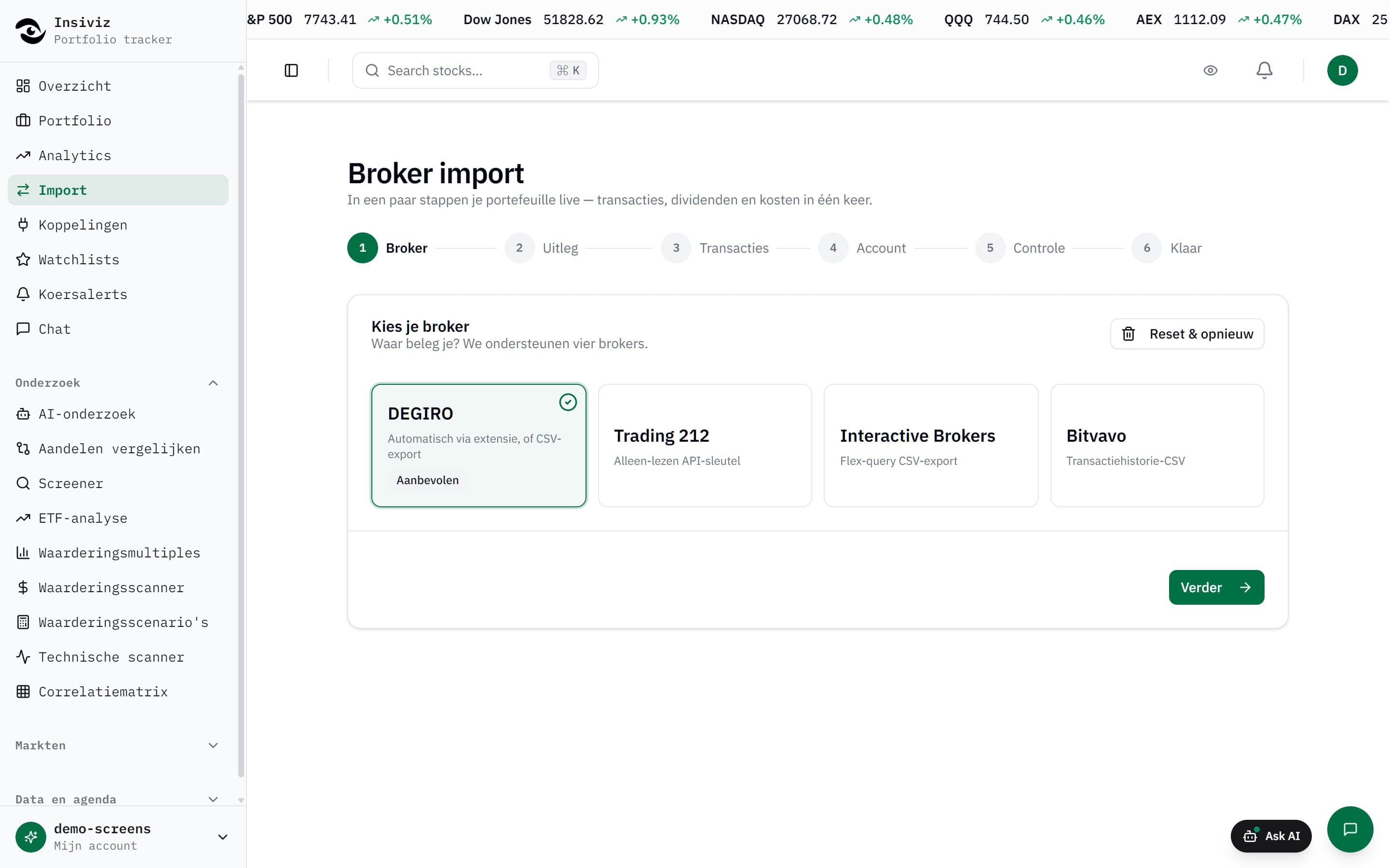
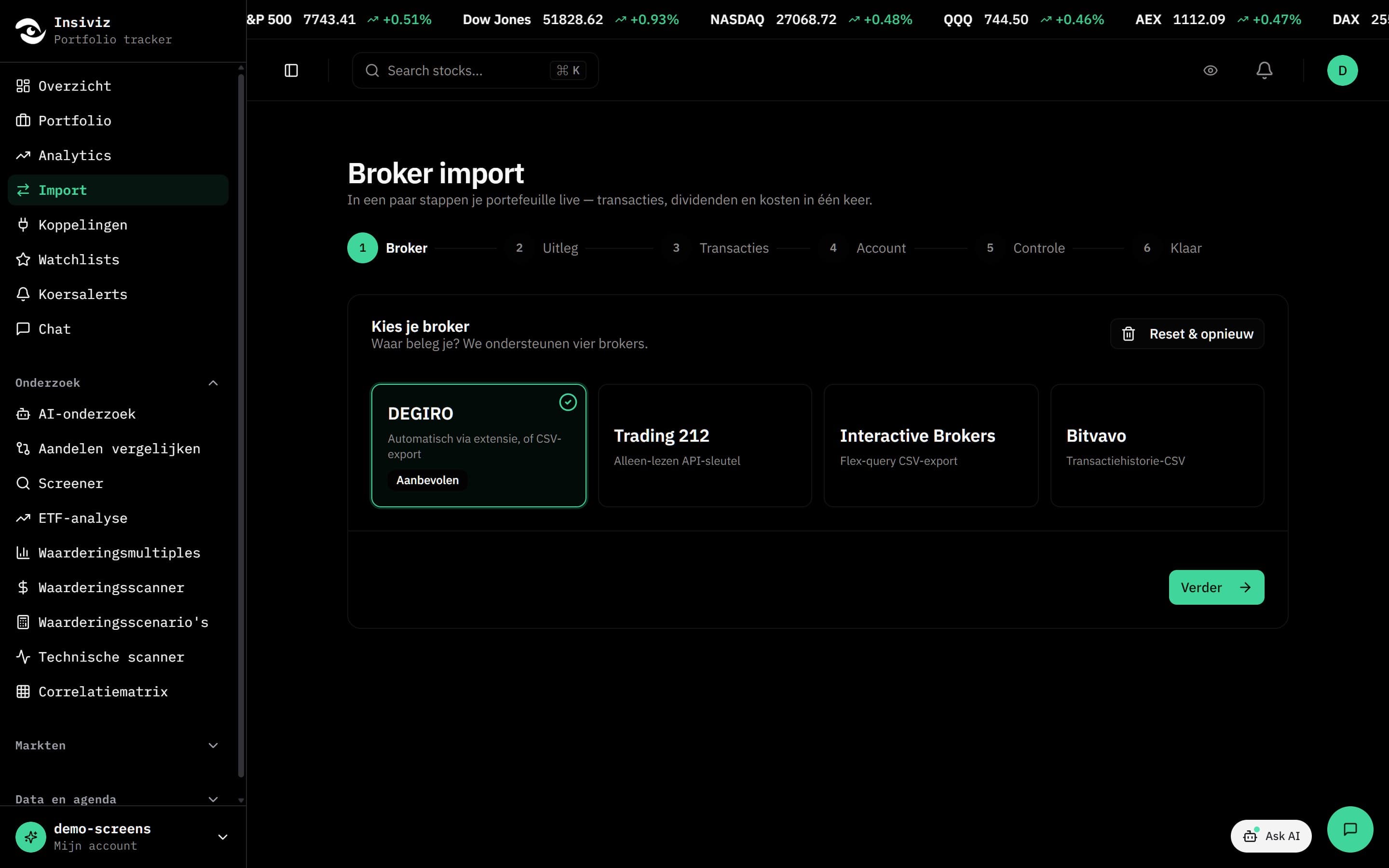
Import DEGIRO in three steps
Set it up once. After that the extension keeps your portfolio up to date as long as you log in to DEGIRO now and then.
- 1
Create an account and a link code
Sign up for Insiviz and open Connections. Create a link code there: the key that tells the extension which account the data belongs to.
- 2
Install the extension and paste the code
The options page opens by itself. Paste the link code, click Test connection and save. Your DEGIRO credentials are never asked for.
- 3
Log in to DEGIRO
The extension fetches the three exports you would otherwise download yourself: Transactions, Account statement and Portfolio. The first time it goes back up to fifteen years.
After that the extension syncs when you open a DEGIRO page, at most once every six hours, or when you click Sync now yourself. Rows that were already imported are skipped.
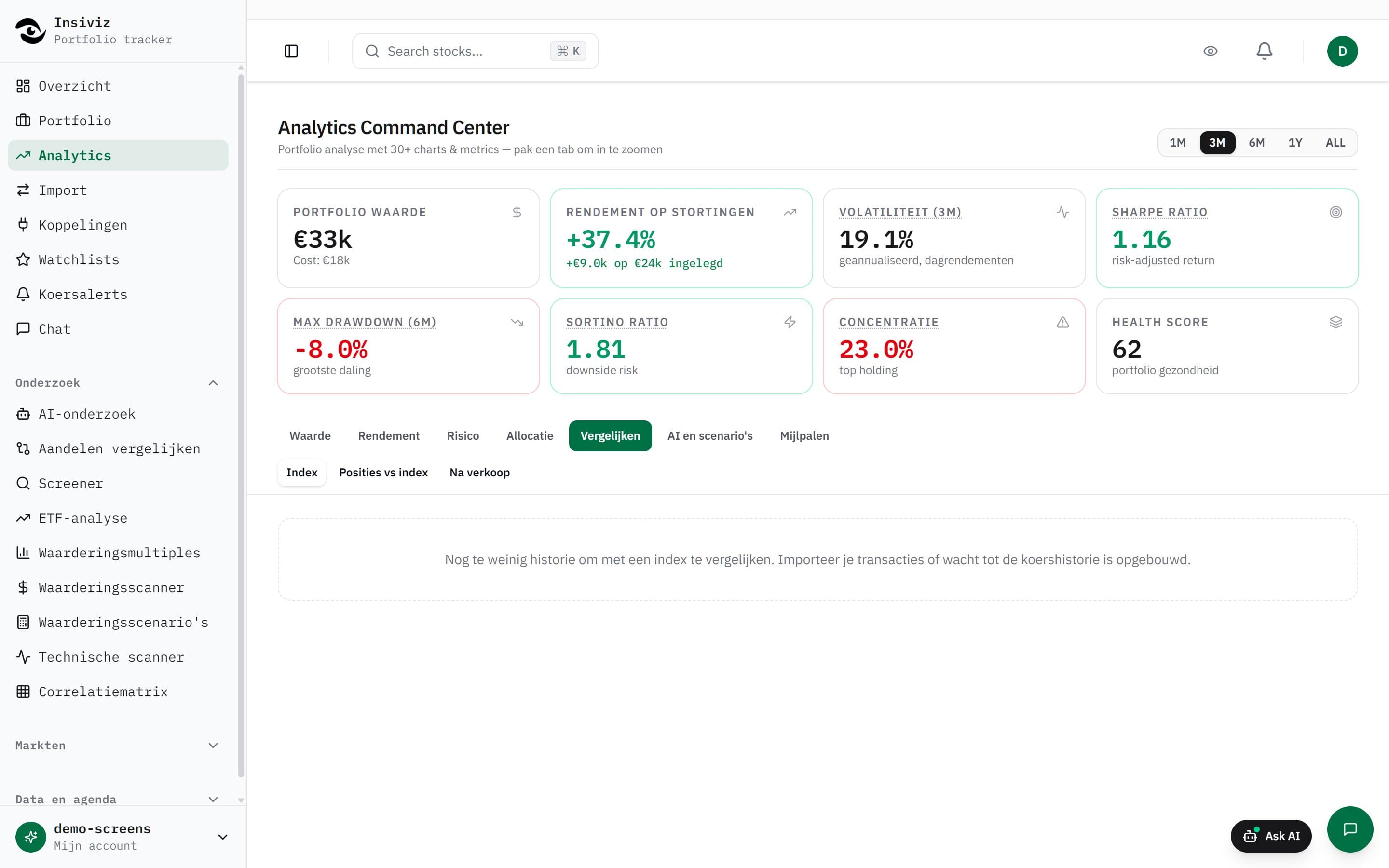
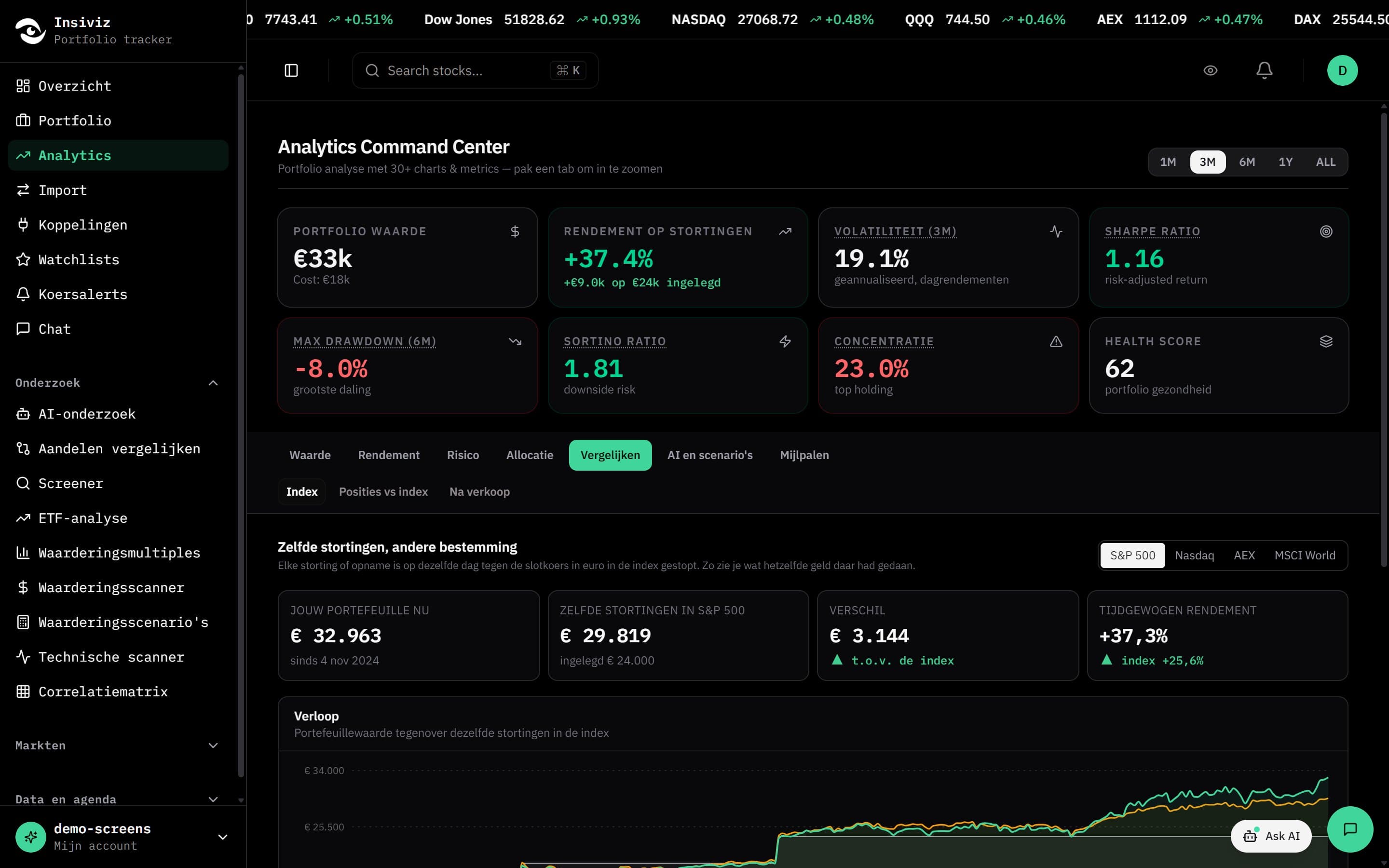
What you see after importing
DEGIRO shows what you hold now. Insiviz shows how you got there.
- Return over time
- The value of your portfolio per day, with your deposits and withdrawals accounted for, so a deposit does not count as profit.
- Next to an index
- The same deposits on the same days in the S&P 500 or a world index: this shows what your choices returned relative to the market.
- Dividend overview
- Dividends received per year and per stock, including withholding tax from your account statement.
- Costs
- Transaction fees and currency costs added up, instead of scattered over hundreds of rows.
- Profit and loss per position
- Realised and unrealised result per stock, including positions you have already sold.
- Checked against DEGIRO
- Insiviz compares your positions and cash balance with DEGIRO's own statement and flags anything that does not match.
What DEGIRO shows and what is added
The web trader and the app are built for trading. Looking back takes the history, and that sits in the exports.
In DEGIRO
- Your current positions and their value
- The average purchase price per position
- Profit or loss per position right now
Added with Insiviz
- Return over time based on your deposits
- Comparison with an index using the same deposits
- Dividends and costs across all years
- Allocation across sectors and currencies
- Several brokers in one overview
Insiviz calculates and compares. It gives no investment advice and does not tell you what to buy or sell.
Rather do it by hand: upload your DEGIRO export
It also works without the extension. You download two statements from DEGIRO and upload them to Insiviz.
- 1Log in to the web version of DEGIRO and go to Activity, then Transactions.
- 2Choose the period, preferably from when you opened the account, and click Export. Choose CSV.
- 3Do the same under Account statement. That holds dividends, costs and deposits.
- 4Open Import in Insiviz and drop both files in. You see what was recognised per file before you confirm.
Importing again is safe: duplicate rows are skipped. Use the original export; a file opened and saved in Excel can become unreadable.
What the extension does and does not do
Does
- Fetches three exports with the session you are logged in with
- Sends them to your own Insiviz account
- Stores only your link code and the status of the last sync
- Stops as soon as you revoke the link code
Does not
- Ask for your username, password or authenticator code
- Place orders or change anything in your DEGIRO account
- Log in by itself: nothing happens without your session
- Collect usage statistics or use trackers
Frequently asked questions about importing DEGIRO
Is the DEGIRO import free?
Yes. A free account tracks one portfolio of up to twenty positions, with one connection and one manual import per month. New accounts first get fourteen days of Pro, no credit card needed.
How do I export my transactions from DEGIRO?
Log in to the web version of DEGIRO, go to Activity and then Transactions, choose the period and click Export. Choose CSV. Do the same under Account statement for dividends, costs and deposits. With the extension you can skip this: it fetches the same files for you.
Does Insiviz store my DEGIRO password?
No. The extension never asks for your username, password or authenticator code. It uses the session you are logged in to DEGIRO with yourself and can only read.
Does DEGIRO allow this?
DEGIRO's terms formally do not permit automated tools on the trading platform. The extension does the same as the Export button, from your computer and with your session, but using it is your own choice and responsibility. If you do not want that risk, use the manual CSV import; it always remains available.
Which browsers does the extension work in?
In Chrome and Edge on a computer. Firefox, Safari and phones are not supported yet; use the CSV import there.
How far back does the history go?
The extension's first sync requests year by year, up to fifteen years back. With a CSV you choose the period yourself; pick the date you opened the account for a complete picture.
Does it work with other brokers too?
Yes. Trading 212 connects through its API, and exports from Interactive Brokers and Bitvavo are uploaded as files. Everything ends up in the same overview.
Does Insiviz give investment advice?
No. Insiviz calculates and compares: return, dividends, costs and allocation. What you do with that is up to you.
See what your DEGIRO portfolio has really done
Connecting takes a few minutes. After that your history is in and stays up to date.